Contractor Support CRM
Run The Job

The CRM Built
For The Trades.

One place to track clients, projects, and schedules — with a no-login portal so homeowners always know where their job stands. No spreadsheets, no group texts, no "let me check and call you back."

14-day free trial No-login client portal Cancel anytime
crm.contractorsupportllc.com
CS-CRM dashboard showing active jobs, behind-schedule flags, pipeline value and this week's schedule
Why It's Different

Every Lead. Every Client.
Every Job.

CS-CRM is a standalone CRM built for contractors — track every lead, client, and project from the first phone call through the final walkthrough. Log calls and follow-ups, move jobs through your pipeline, and keep every milestone in one place, so nothing falls through the cracks.

01

Add Your Client

Create a client and project in minutes — no onboarding call, no setup fee. Add contacts, notes, and a site address if it's different from home.

02

Share The Portal

Every project gets a private link. Send it to the homeowner and they can check progress anytime — no login, no app, no password to lose.

03

Update Once

Move a milestone, log a call, mark a follow-up done — it's reflected on your dashboard, your calendar, and their portal instantly.

What You Get

Everything To Run A Job, Nothing You Don't Need

CS-CRM is purpose-built for contractors — not a bloated enterprise tool you have to configure for six months first.

🗂️

Clients & Projects

Every client, every project, every stage of the pipeline — from lead to in-progress to done — in one dashboard your whole team can see.

📅

Scheduling & Calendar

Milestones, inspections, and deliveries on a shared calendar. Update a status once and it's reflected everywhere — including the client's portal.

🔗

No-Login Client Portal

Every project gets a private link homeowners can open on any device to see real-time progress — no account, no app, no password to reset.

📞

Contacts & Correspondence

Track every decision-maker on a job and log every call, email, and meeting — with follow-up reminders so a promised callback never gets missed.

🔐

Role-Based Team Access

Owners and PMs run the show; crew leads see the schedule and update job status from the field. Everyone sees exactly what they need to.

⚡

Self-Serve Setup

No onboarding call required — create your account and start adding clients today. Cancel anytime, no long-term contract.

See It In Action

The Actual Screens. Not A Mock-Up.

Every screen below is CS-CRM running a sample remodel. Click any shot to open it full size.
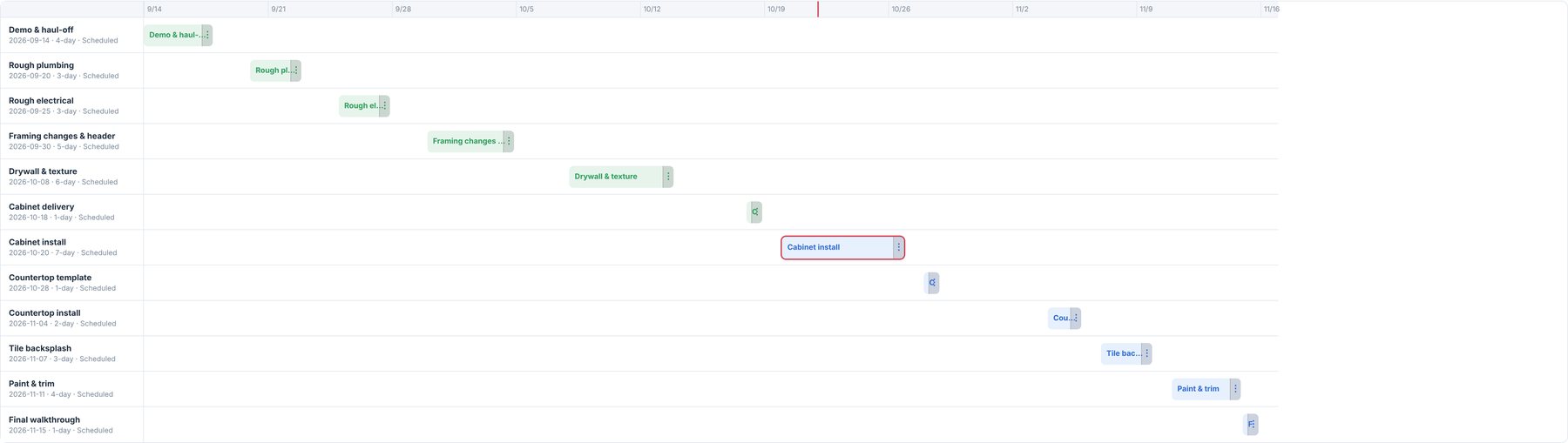
Gantt schedule showing each milestone as a bar, with a today line and colour-coded progress
Gantt scheduling. Drag a bar to move a milestone — dependent work reschedules itself, and the homeowner's portal updates with it.
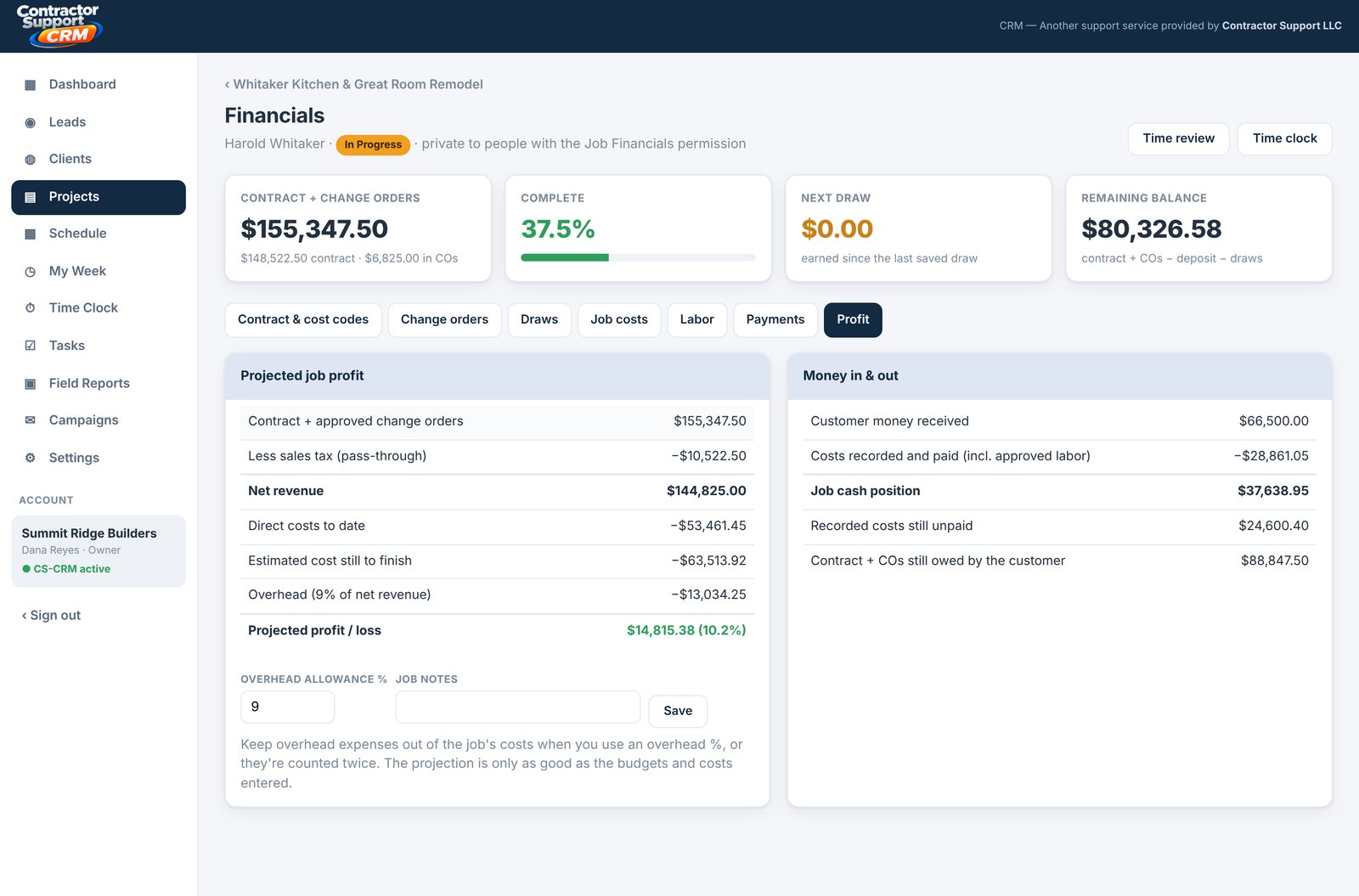
Job profit projection: contract, change orders, costs to date, cost to finish, overhead and projected profit
Know the profit before the job ends. Contract, change orders, costs to date and cost still to finish — projected profit updates itself.
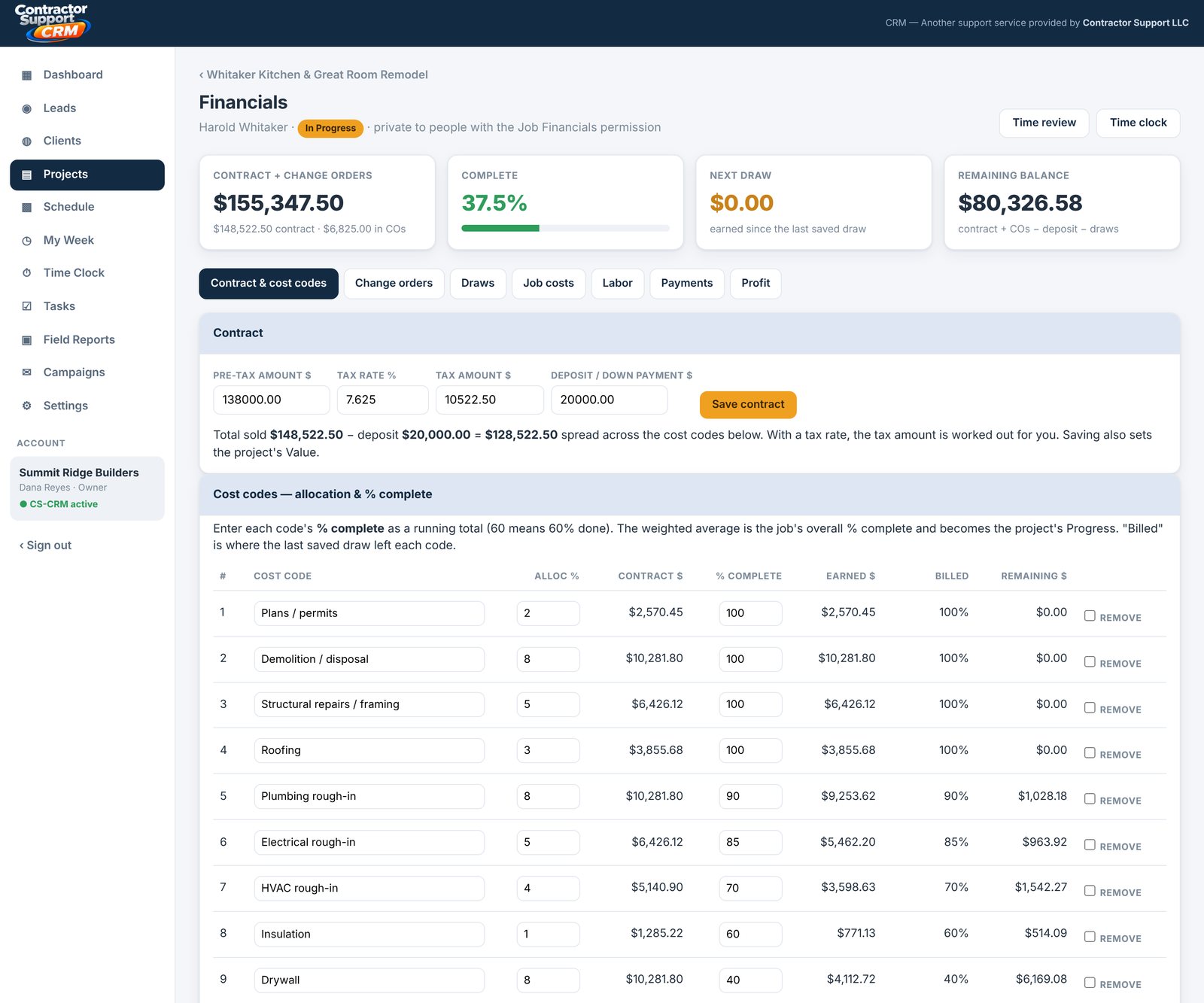
Contract broken into cost codes with percent complete and earned dollars per code
Cost codes that earn. Break the contract into codes once; set a % complete and the earned dollars calculate themselves.
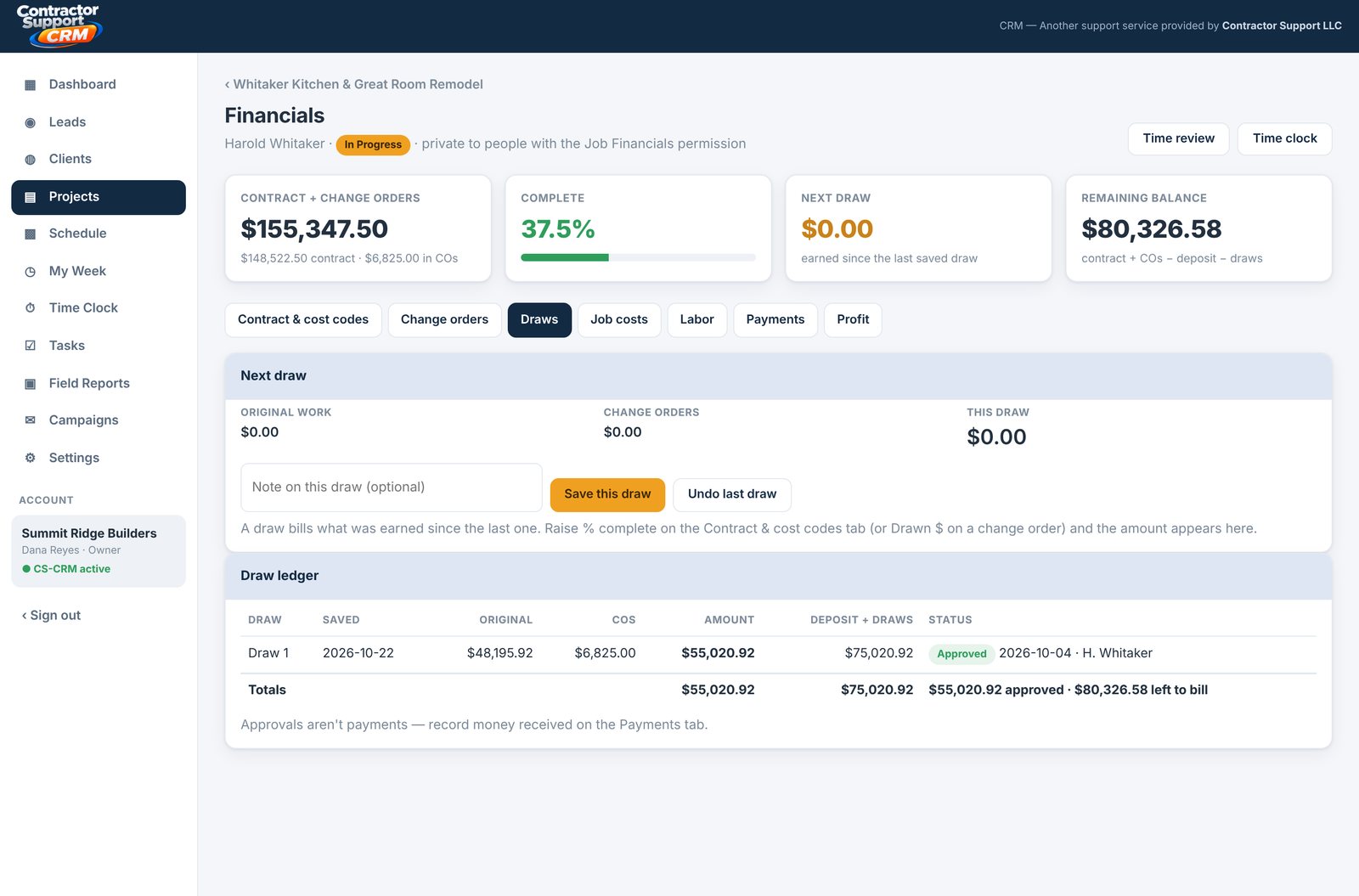
Draw ledger listing each billed draw with approval status
Draws without the spreadsheet. Bill what you've earned since the last draw — one button, with an approval trail.
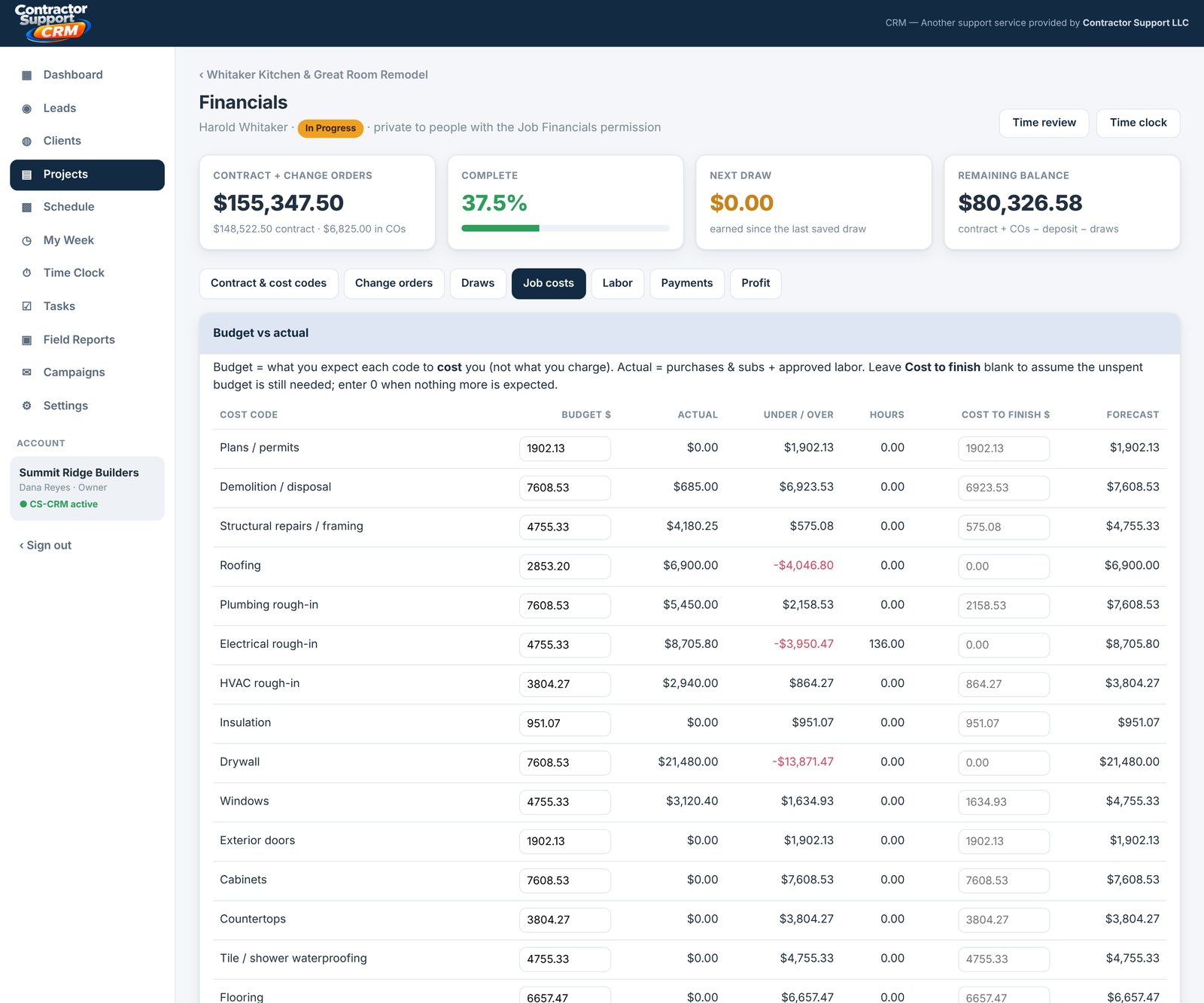
Job costs by cost code showing budget, actual, variance and unpaid amounts
Budget vs. actual, per code. Every receipt and sub invoice lands on its code, so you see the overage while you can still do something about it.
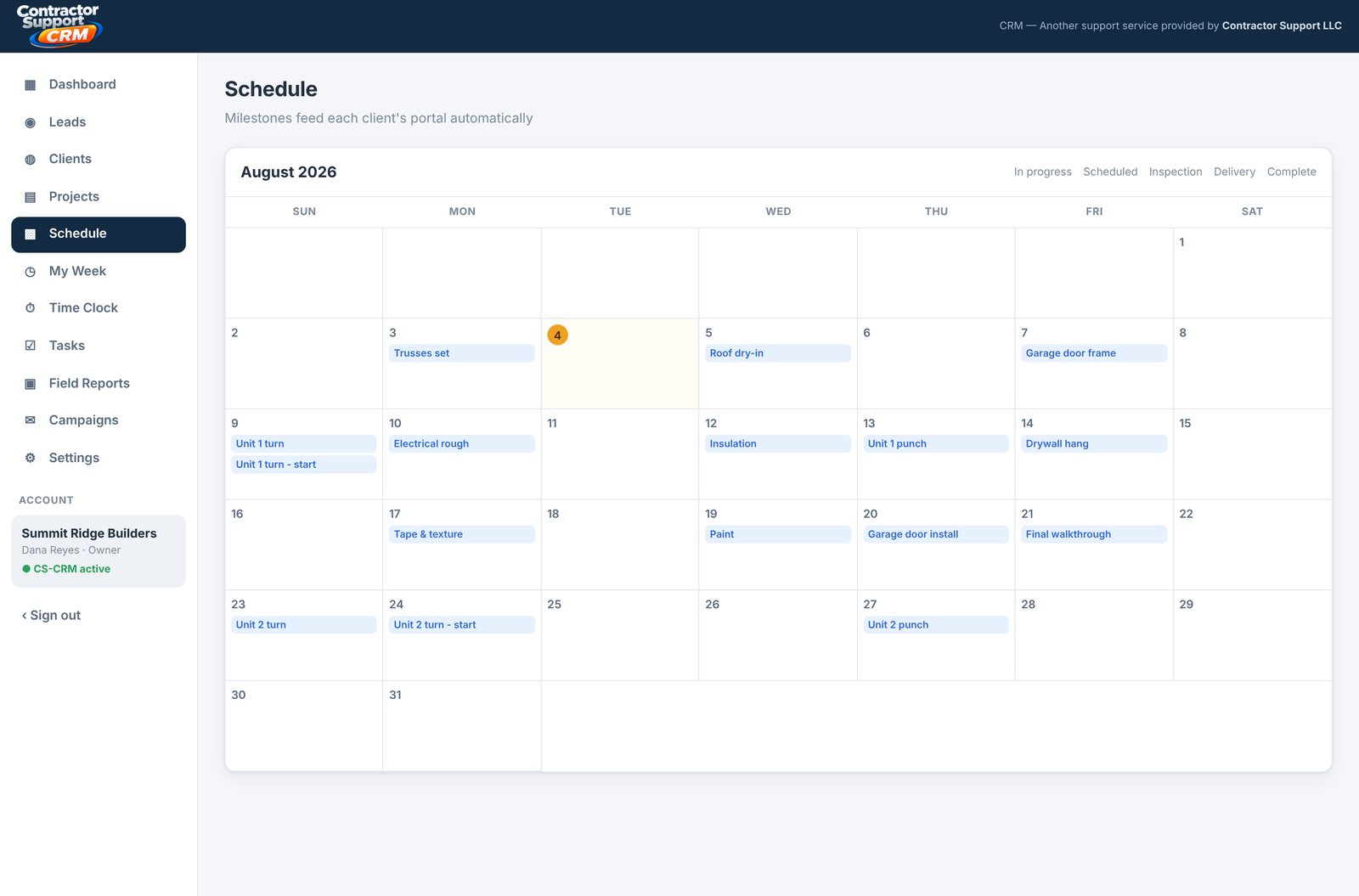
Month calendar with every job's milestones laid out day by day
One calendar, every job. Milestones across all your jobs in one month view — and each one feeds that client's portal.
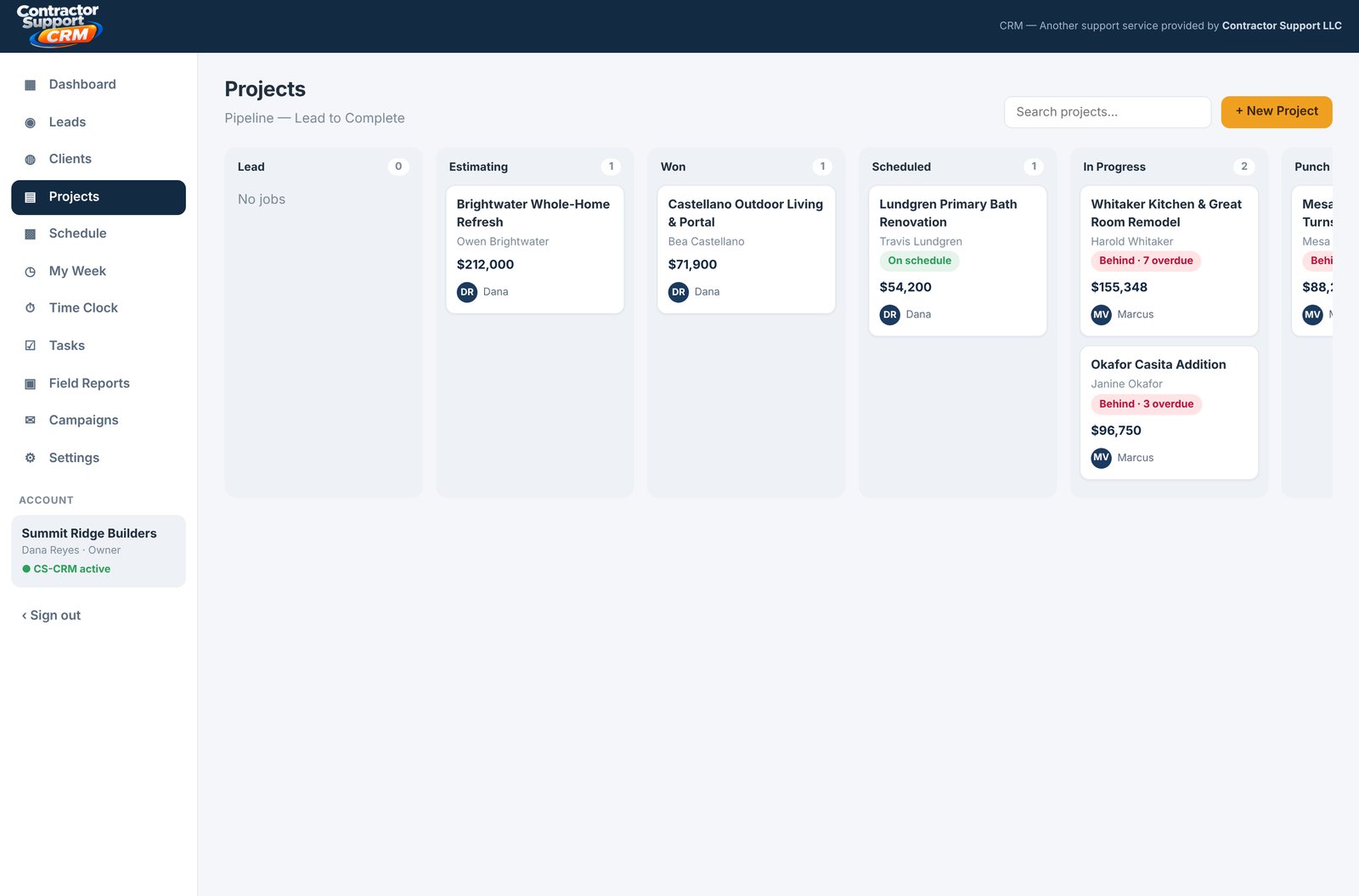
Pipeline board with jobs in columns from Lead through Complete
Lead to paid, on one board. Drag a job from Estimating to Won to Complete — nothing falls into a text thread.
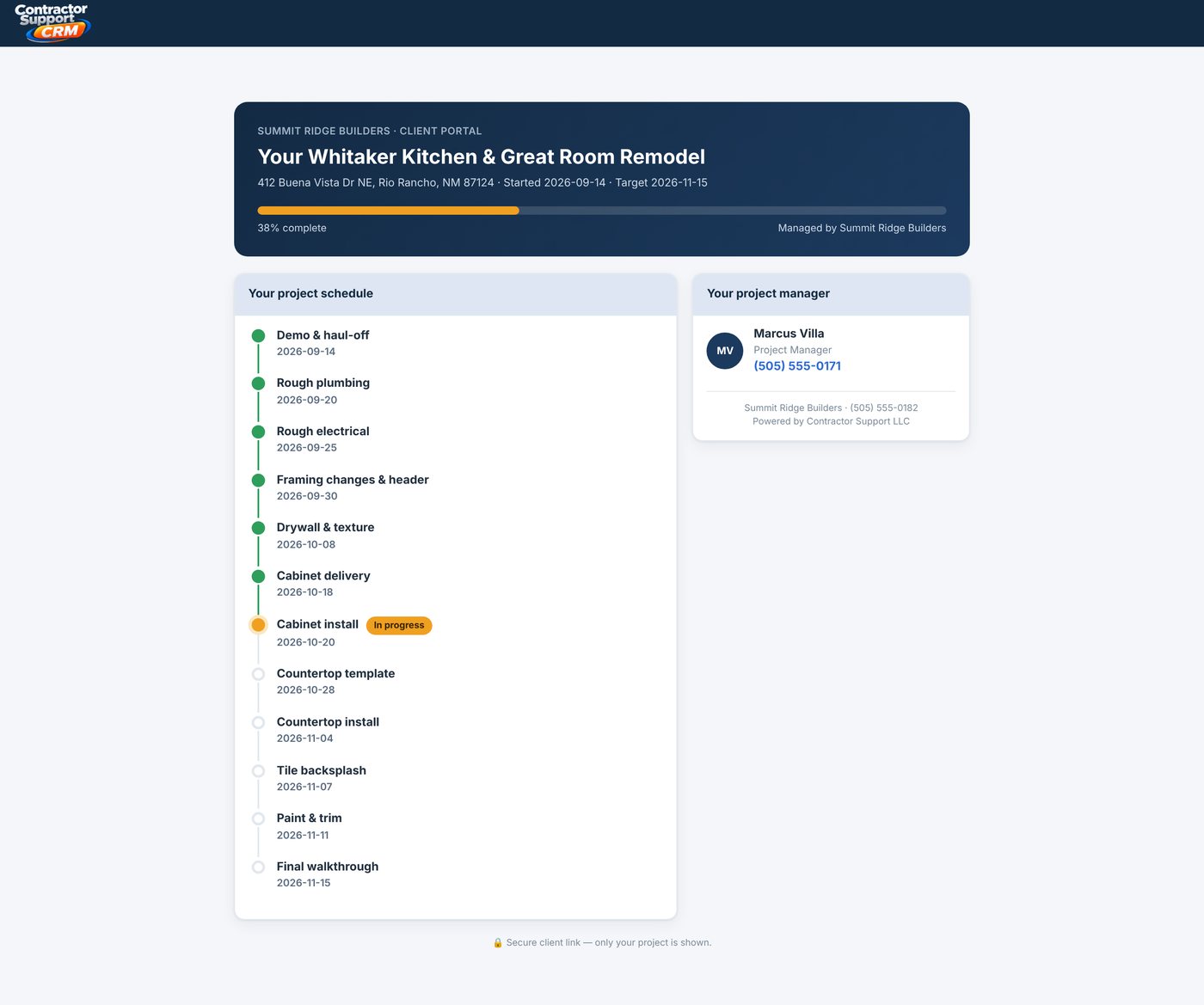
Homeowner client portal showing project progress timeline and project manager contact
The no-login client portal. You send one link. They see progress, what's next and who to call — instead of texting you.
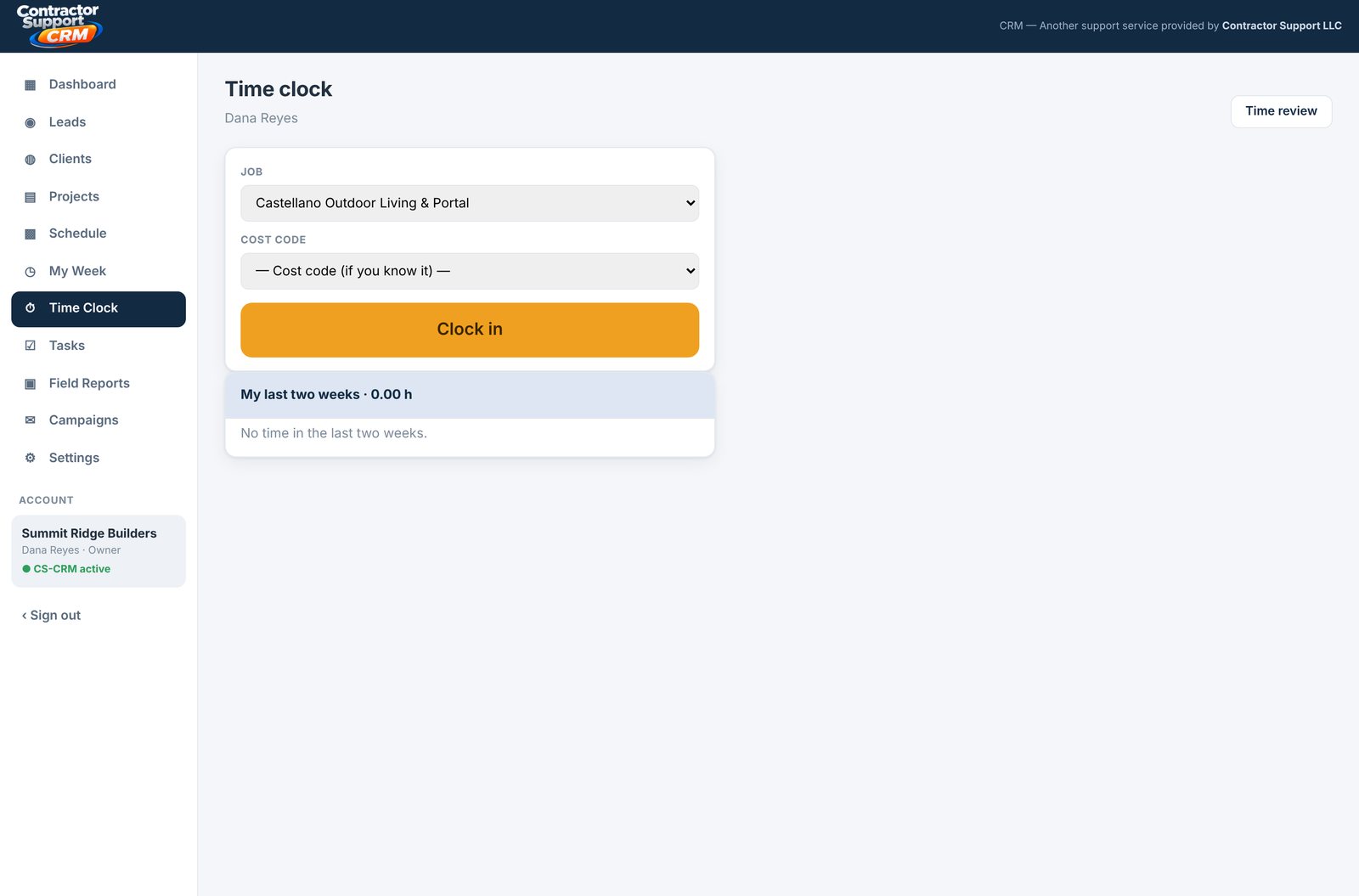
Time clock screen where a crew member clocks in to a job and cost code
Crew clocks in to the job. Hours land on the job and its cost code, so labor shows up in the numbers without a timesheet.
CS-CRM dashboard on a phone Client portal on a phone
Built for a phone in a work glove. The whole thing works from the truck — and so does your customer's portal.
Start Your Free Trial

14 days free · no card · $25 a seat after that

Simple, Honest Pricing

$25 A Seat. Crew Logins Free.

No base fee, no per-project fees, no storage limits, no prepay. You pay for the people who add and edit — the crew who only check the schedule and mark jobs done log in free.

What happens next

After You Start Your Trial

No sales call and no card needed to try it.

01

Create your account

Enter your business name, email and a password. You're in right away, with every feature, for 14 days.

02

Add your team

Give each person a role. Office and managers who add or edit are paid seats; crew on view-only logins are free.

03

Subscribe when ready

From Settings → Billing, pay by card through Stripe. If you don't, your account turns read-only — nothing is deleted.

Need A Website To Feed It?

Our Maintained website plan comes with a quote form that drops new leads straight into CS-CRM. Hosting is $29/mo, Maintained is $59/mo.

See All Pricing
The Difference

CS-CRM vs. The Group Text

You're already tracking jobs somehow — a notebook, a spreadsheet, a string of texts. Here's how that compares.

 
Spreadsheets & Texts
CS-CRM
Where the client checks progress
They call and ask
Their own portal link, anytime
Who sees the schedule
Whoever's in the group text
Your whole team, role-appropriate
Follow-up reminders
Sticky notes, if you're lucky
Built-in, surfaced on your dashboard
Field team access
Extra phone, extra confusion
Free logins, status-only view
Getting started
Already "started," badly
Sign up, add a client, done